
Enhancing Remote Team Productivity Across Time Zones
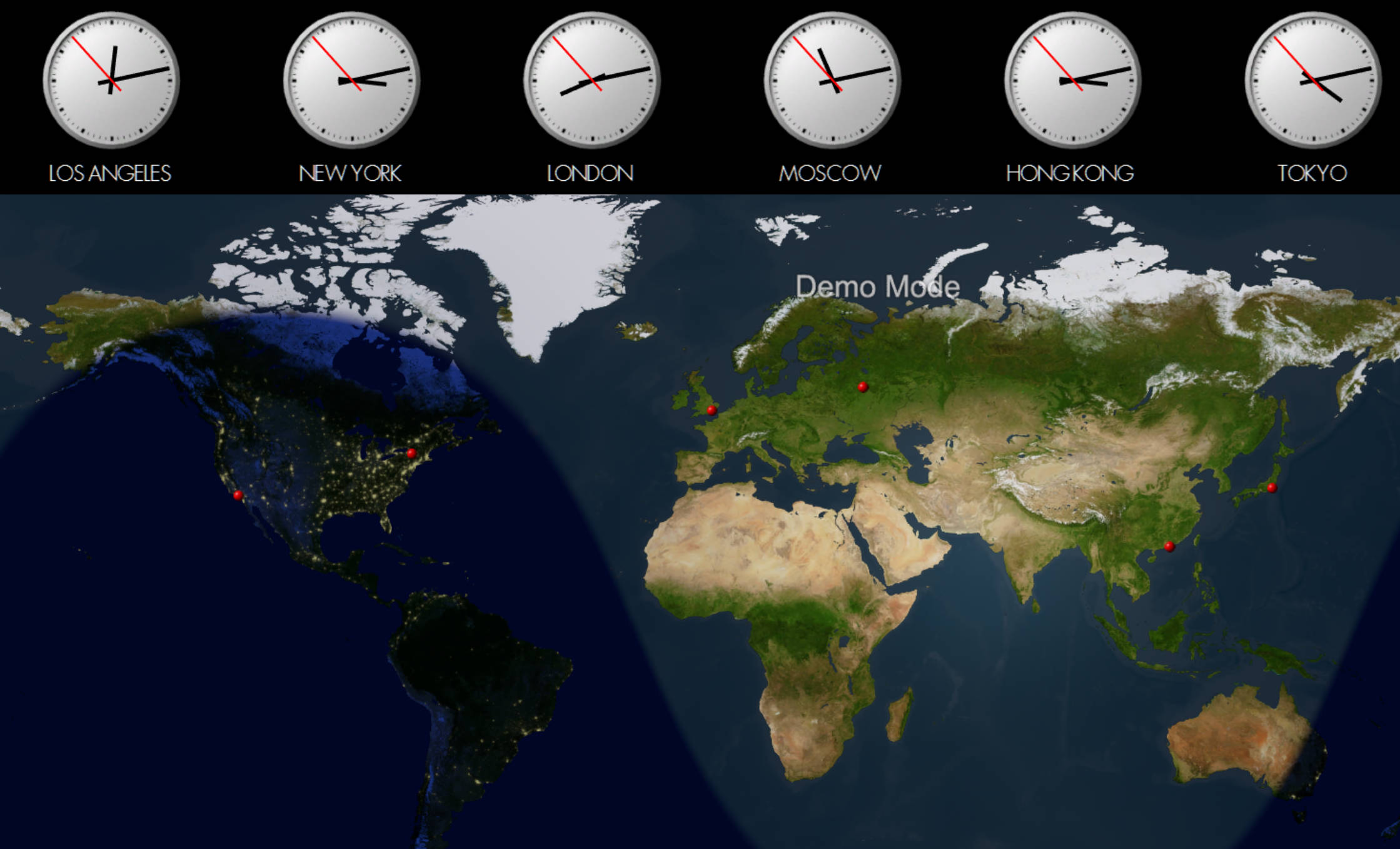
Hybrid work makes it tempting to hire the best talent anywhere, yet managers soon discover the hidden price: asynchronous delays, unclear deadlines, and remote team burnout. The fastest fix is not “more meetings,” it is a deliberate time strategy built around UTC anchors, visible clocks, and shared context.
This guide shows exactly how product leads, HR partners, and operations teams can standardize processes, shorten response loops, and protect everyone’s after-hours time.
Diagnose the Time-Zone Friction First
Before rolling out new tools, map where collaboration cracks show up. Common signals include:
- Pull requests or Jira tickets languish 18+ hours waiting for a reviewer in another region.
- Standups drift later and later so “everyone” can attend, forcing one hub to stay up past midnight.
- Misaligned holiday calendars cause last-minute delays because a city is offline.
- Managers cannot explain whose “end of day” controls a release branch.
Documenting these hotspots gives you a baseline for improvement metrics such as “handoff latency” or “after-hours pings per teammate.”
Adopt UTC as the Single Source of Time Truth
Every distributed workflow improves when you define deadlines in UTC. It removes ambiguity and lets teammates convert locally without math errors. Kick off the change with these steps:
UTC Standard Checklist
- Write sprint goals, incident SLAs, and contract clauses in UTC (e.g., “handoff by 18:00 UTC”).
- Configure shared calendars and ticketing systems to show the UTC timestamp alongside local time zones.
- Use LSJTime’s timezone converter to create preset city pairs for your most common handoffs.
- Publish a short primer explaining how UTC relates to each hub, so new hires ramp faster.
Teams that anchor to UTC report fewer missed deadlines because everyone reads the same clock, even when daylight saving switches sneak up on one region.
Visualize Work Windows with Multi-City Time Trackers
Static spreadsheets do not cut it when daylight saving changes twice per year. Instead, deploy always-on multi-city trackers that reveal overlap hours at a glance.
How to Build a Multi-City Dashboard in 15 Minutes
- List your top collaboration hubs, e.g., New York, London, Singapore.
- Embed widgets from LSJTime’s timezone map or export data to a wallboard app like Geckoboard.
- Color the sweet spot where everyone is awake (often a 2–3 hour band). Protect this block for live workshops or sprint kickoffs.
- Automate alerts when daylight saving shifts any city, so your dashboard adjusts without manual edits.
Displaying these windows on office TVs or remote dashboards nudges teams to treat synchronous time as scarce and valuable.
Layer in Shared Holiday Calendars to Avoid Surprise Blackouts
A single national holiday can derail a launch if it hits the only engineer with production access. Solve this with a unified calendar policy:
- Subscribe to public calendars for each country or region and merge them into a “Global OOO” calendar.
- Encourage teammates to tag their PTO with city or country in parentheses for quick filtering (e.g., “Deepa PTO – Mumbai”).
- During sprint planning, mark any week with fewer than 60% of a discipline available so stakeholders can rescope early.
- Pair the shared calendar with LSJTime’s date calculator to count true working days between milestones.
Holiday visibility reduces emergency escalations and helps everyone respect regional observances without resentment.
Design Communication Cadence for Asynchronous Speed
Once clocks and calendars are transparent, focus on behaviors that keep work moving while half the team sleeps.
Async Playbook
- Bundle context: When logging a bug, link the Loom video, logs, and decision owner so no follow-up is needed.
- Handoff templates: Use headings like “What happened / What I need / By when (UTC).”
- Time-aware SLAs: Promise same-day answers only if messages arrive before a city’s cutoff (e.g., “Replies guaranteed if sent before 09:00 São Paulo”).
- Rotating facilitation: Alternate who leads core ceremonies so no one is stuck at 5 a.m. forever.
These conventions shrink the lag between updates because teammates know exactly what to provide before logging off.
Measure Productivity, Not Hours Online
Leaders sometimes revert to synchronous monitoring because they lack alternative KPIs. Track metrics that reflect outcomes and wellbeing instead:
Suggested Time-Zone KPIs
| Metric | How to Capture | Target |
|---|---|---|
| Average handoff latency | Difference between ticket comment and next response timestamp | < 8 hours |
| After-hours message rate | Percentage of chats sent outside teammate’s 8 a.m.–7 p.m. local window | < 10% |
| Overlap time utilization | Calendar analytics for meetings scheduled inside the shared window | 70% of live meetings |
| Holiday conflict incidents | Number of launches delayed by unplanned PTO | Zero per quarter |
Publishing these KPIs reinforces healthy behavior and gives executives proof that asynchronous investments pay off.
Action Plan: Build Your Time-Savvy Workflow This Week
Key Takeaways
- UTC-first planning eliminates confusion when deadlines span continents.
- Multi-city time trackers highlight the precious overlap hours you must protect.
- Shared holiday calendars stop avoidable delays and show respect for every region.
- Async playbooks and balanced KPIs keep work flowing without 3 a.m. meetings.
- Purpose-built LSJTime tools give you the data layer needed to align execution and wellbeing.
Ready to Coordinate Like a Pro?
Bookmark LSJTime’s full suite of global scheduling tools to plan releases, workshops, and customer support rotations with confidence. When everyone watches the same clock, productivity rises and late-night emergencies fade away.